jekyll-pseudocode-b
A pseudocode/algorithm formatter for sites powered by Jekyll.
This is a updated fork from wkm/jekyll-pseudo.
Sometimes you don't want to use a particular programming language to demonstrate a concept because of the syntactic overhead. jekyll-pseudocode-b lets you use a gently styled free-formated representation.
Table of Contents
- Usage
- Language
- Output example
- Auto-Formatted Syntax
- Custom styles
- About author
Usage:
- Install the jekyll-pseudocode-b gem by running.
gem install jekyll-pseudocode-b
- Add the following line to your site's
Gemfile
gem 'jekyll-pseudocode-b'
- And add the following line to your site plugin's
_config.yml
plugins:
  - jekyll-pseudocode-b
Note: if jekyll --version is less than 3.5 use:
gems:
  - jekyll-pseudocode-b
Language
- Indentation is preserved
- A word beginning with a capital letter is a keyword
- A word followed by parentheses is a function name
- All other words are variables
- Words within double or single quotes are generally strings
- Variables that calls a function can reproduce the following output:
myVar.FUNCTION(a); - A word that starts with
@will be marked as 'special'. This is if you want to highlight a variable.
Output example
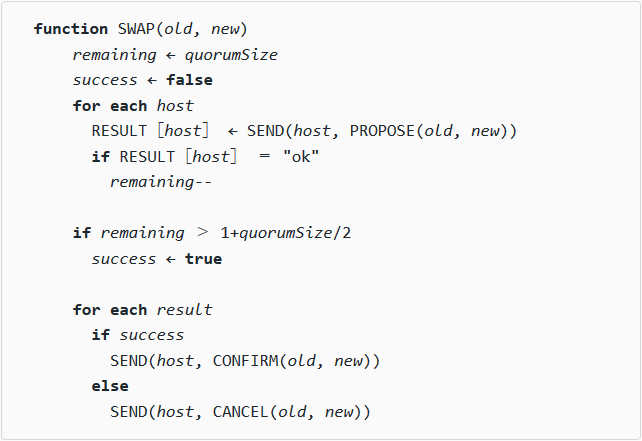
Output is annotated with <span> classes and can be styled using CSS. Typically keywords are made bold and variables are italicized. Using the following code lines:
{% pseudocode %}
Function swap(old, new)
  remaining <- quorumSize
  success <- False
  For Each host
    result[host] <- send(host, propose(old, new))
    If result[host] = "ok"
      remaining--

  If remaining > 1+quorumSize/2
    success <- True

  For Each result
    If success
      send(host, confirm(old, new))
    Else
      send(host, cancel(old, new))
{% endpseudocode %}
With a bit of formatting, the above code becomes:
Auto-Formatted Syntax
The following table shows auto-formated symbols:
| Syntax | Symbol |
|---|---|
| <- | ← |
| -> | → |
| <-- | ⟵ |
| --> | ⟶ |
| => | ≥ |
| <= | ≤ |
| == | = |
| := | ≔ |
| = | = |
| < | < |
| > | > |
| [ | [ |
| ] | ] |
| <-> | ↔ |
| <--> | ⟷ |
| $pi | π |
| $tau | 𝛕 |
| $infinity | ∞ |
Custom styles
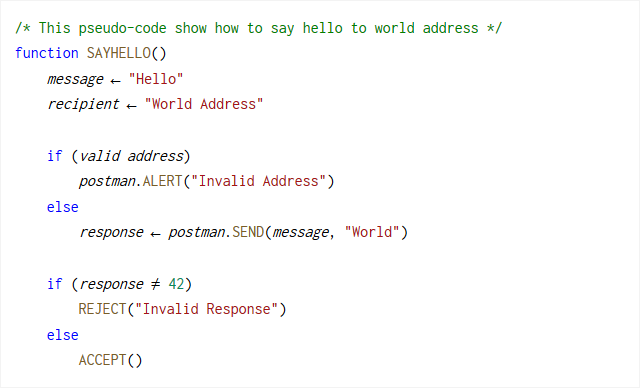
You can also create your own CSS style for pseudo-codes like the images below. Check on the css folder for CSS files examples.

About author
Wiktor Macura is the author of this plugin. This is fork for updated version with some new features. Also it's based on the fork of Victor Bazterra.