MissionControl::Jobs::Theme

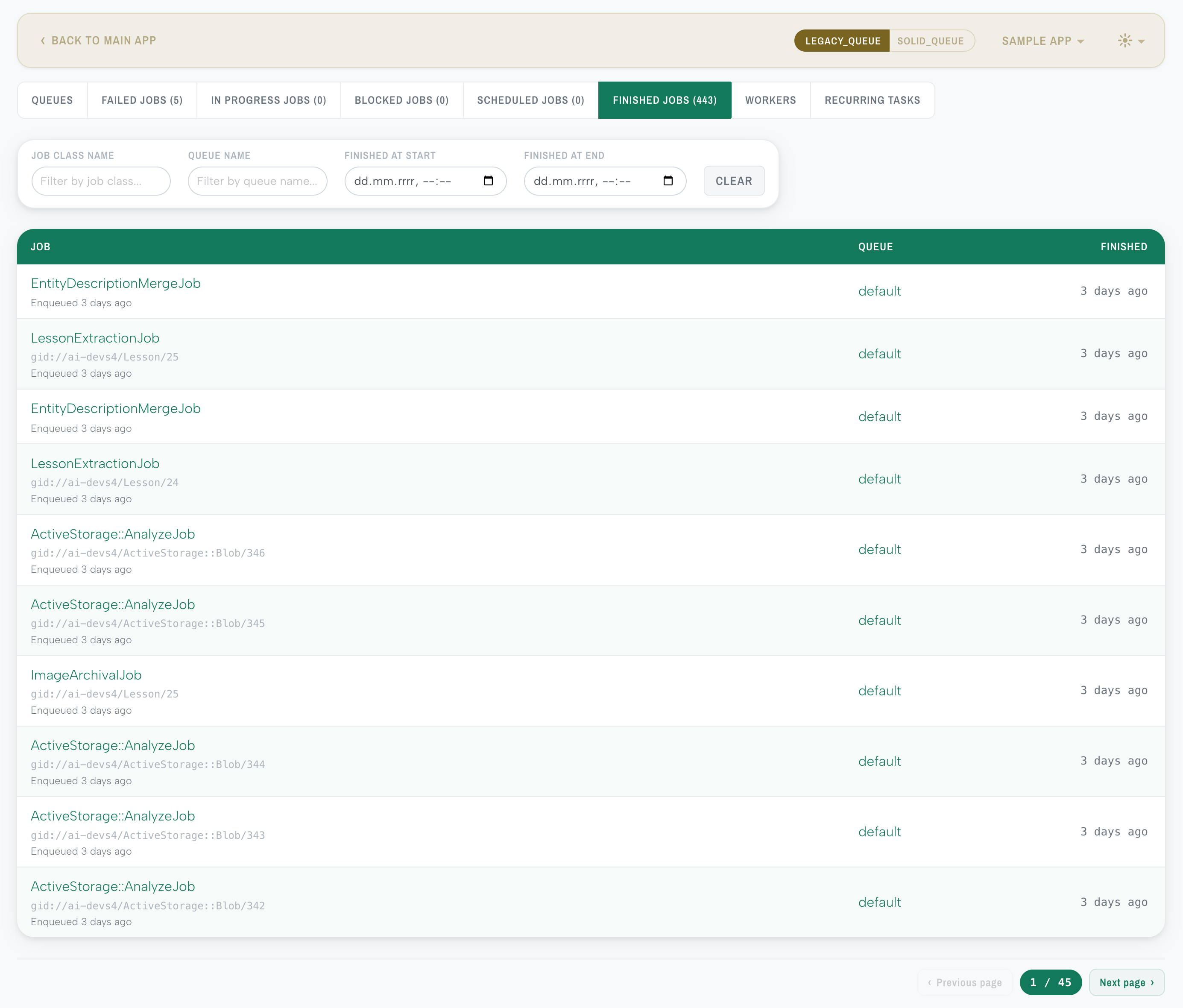
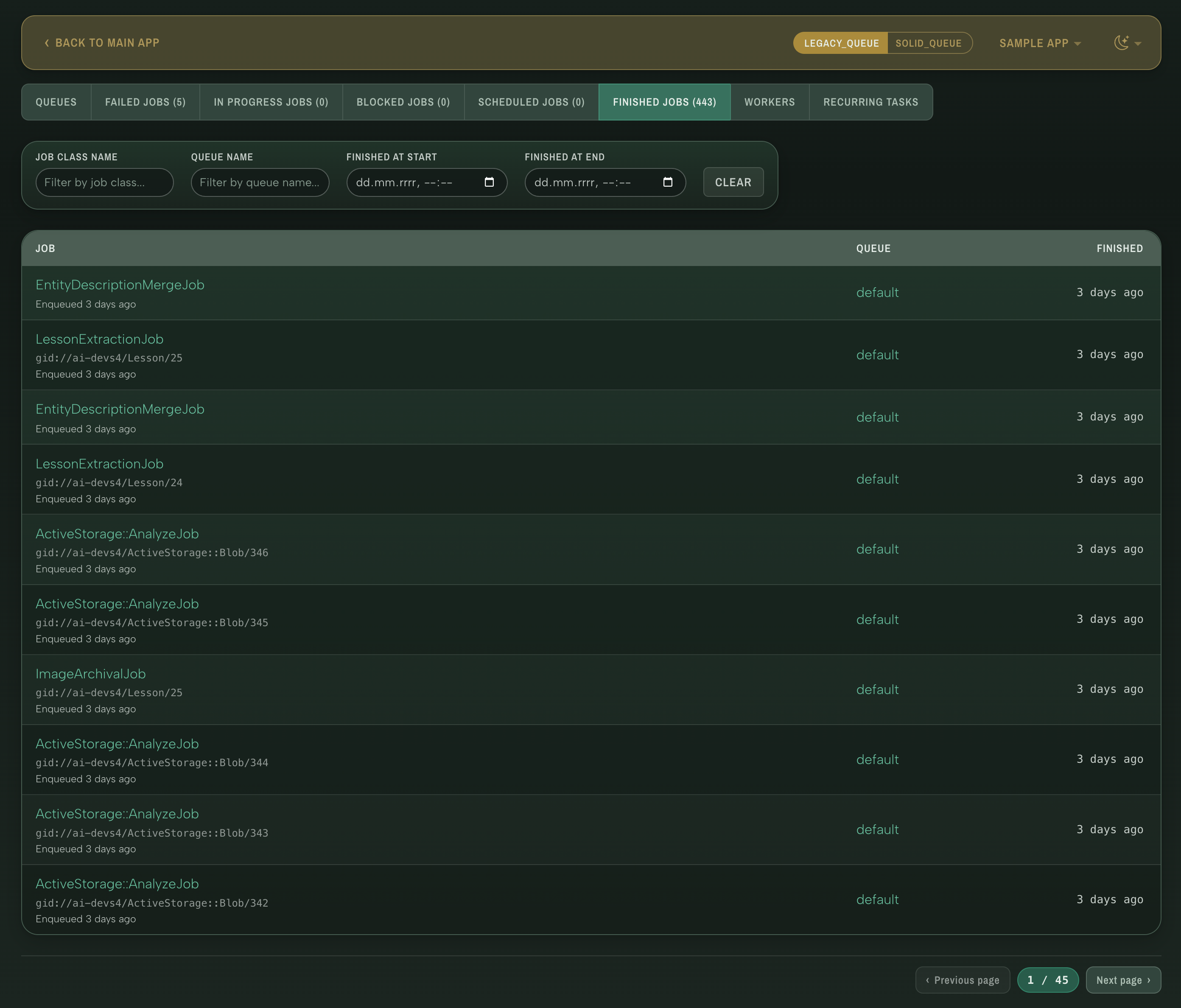
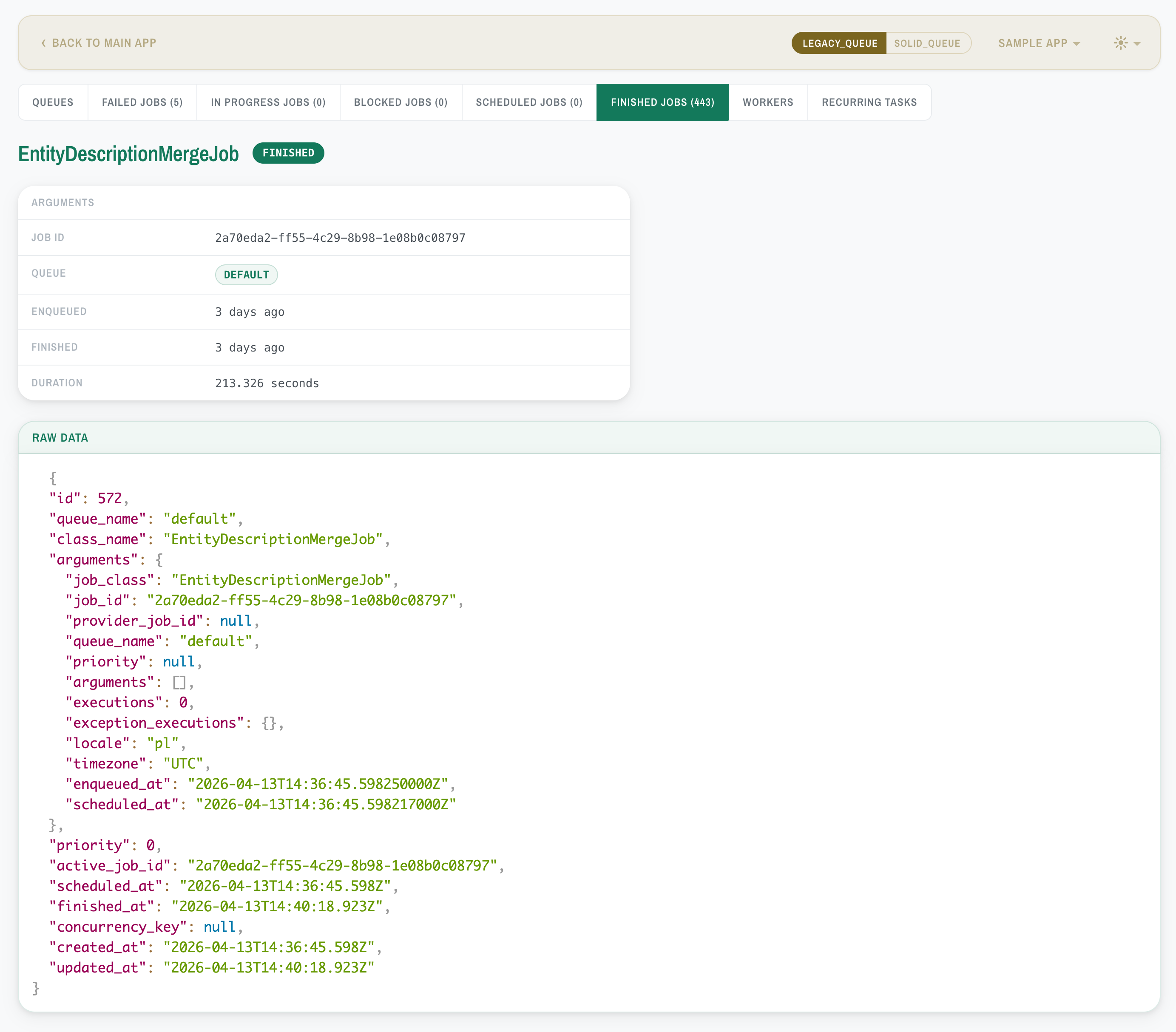
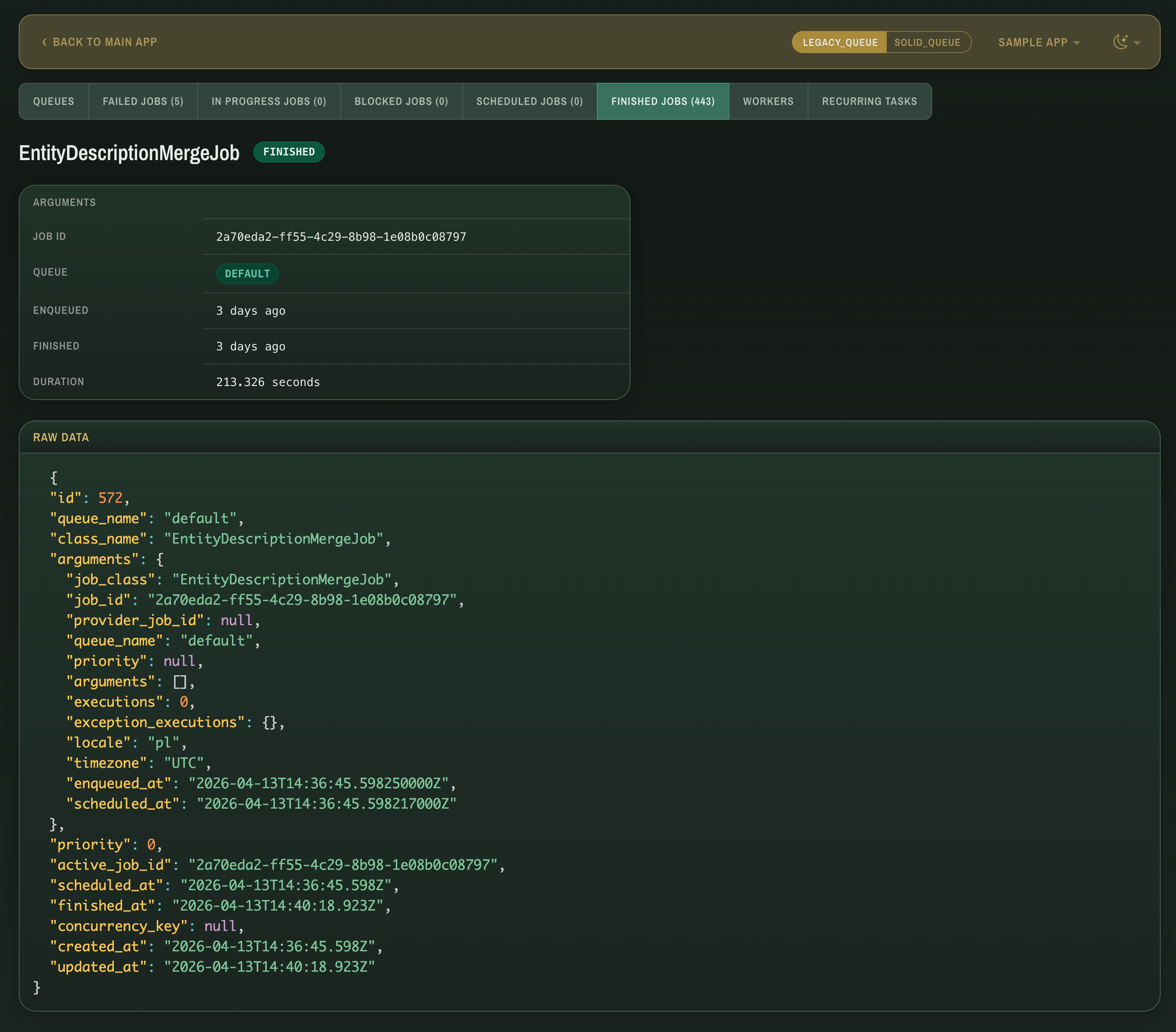
A drop-in visual theme for MissionControl::Jobs — malachite color palette with light/dark mode, refined typography, and JSON syntax highlighting. No view overrides — Rack middleware injects theme files before </head>, so upstream view changes don't break the theme.
Screenshots
Jobs list
| Light | Dark |
|---|---|
 |
 |
Job details
| Light | Dark |
|---|---|
 |
 |
Worker overview
| Light | Dark |
|---|---|
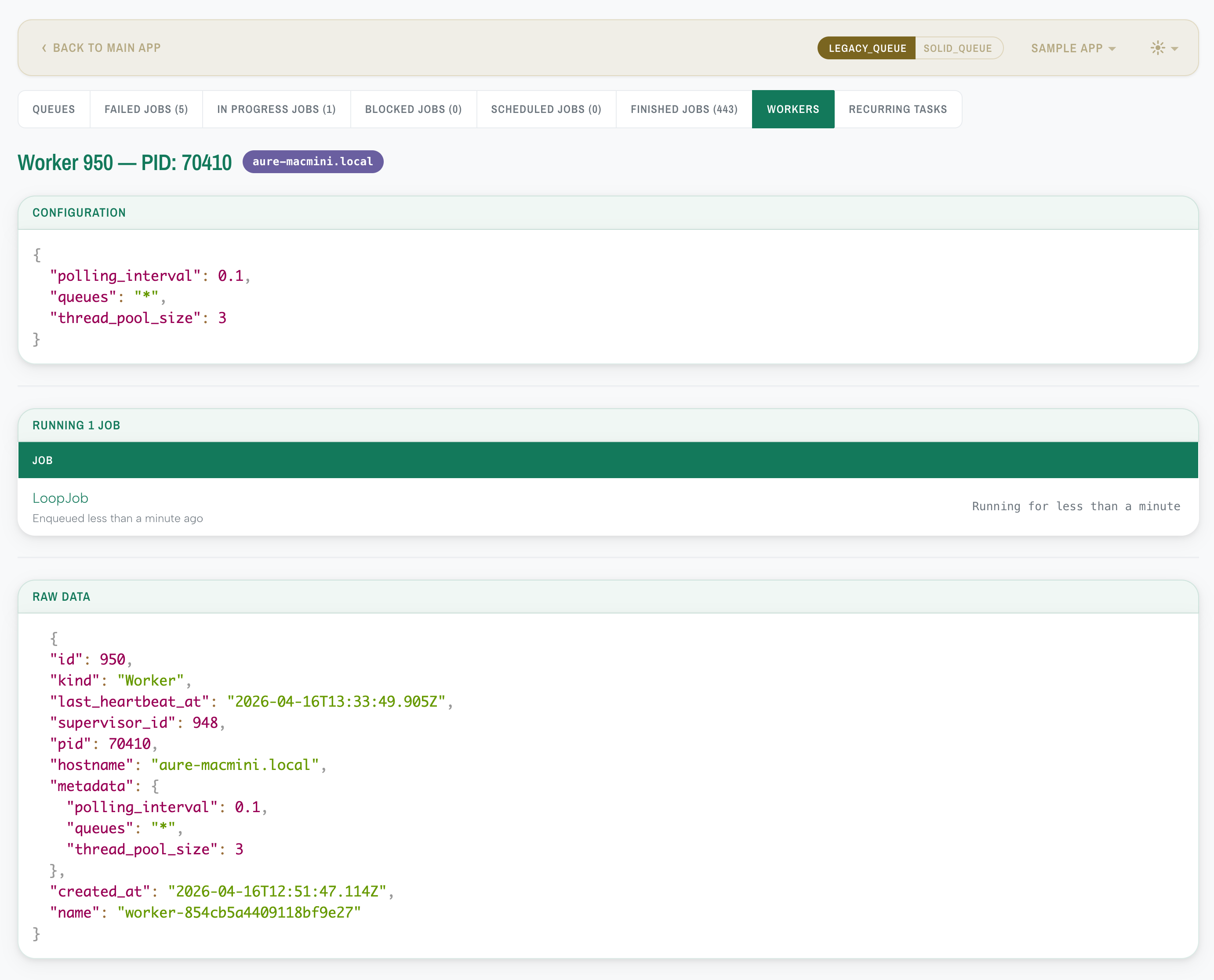 |
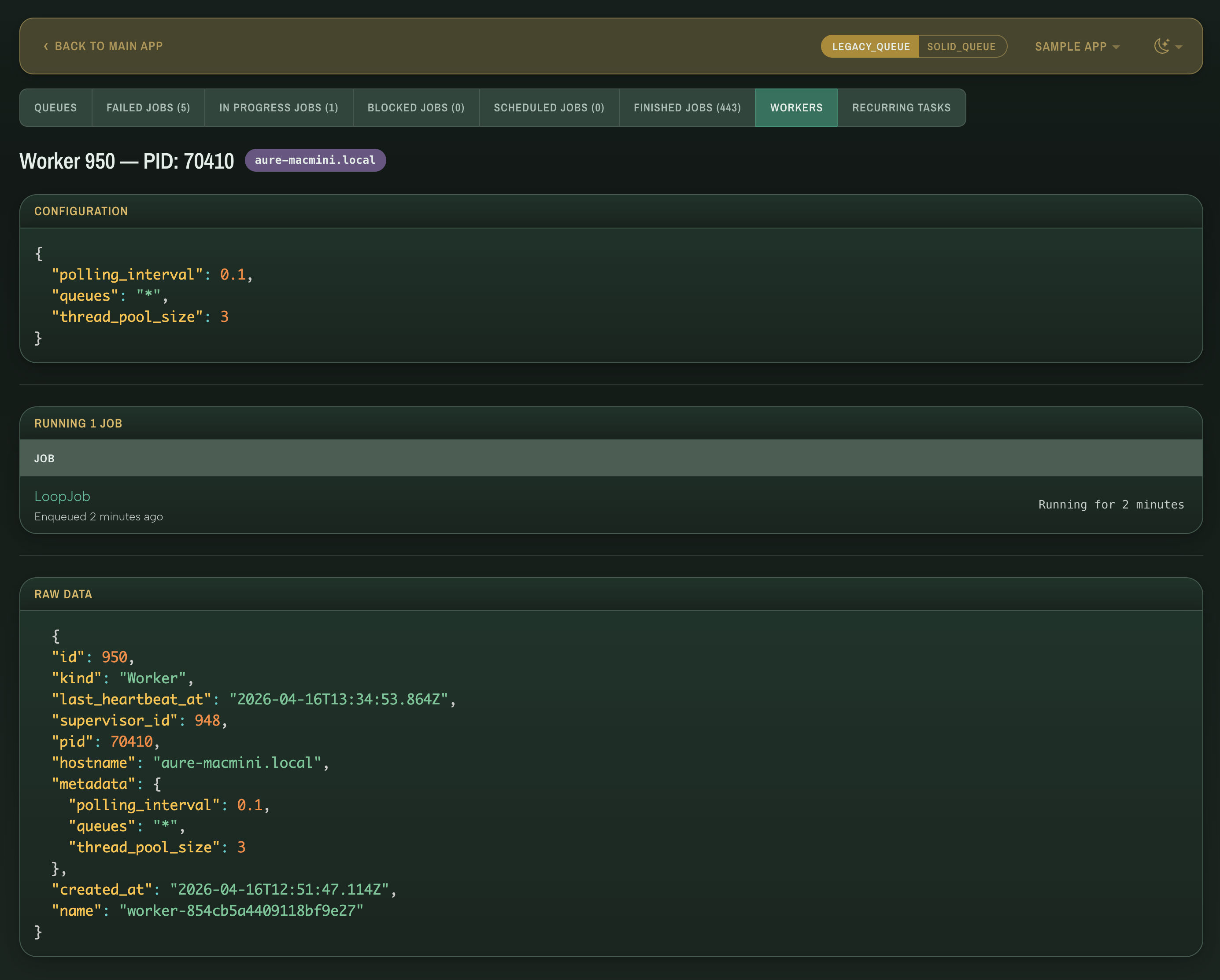 |
Requirements
- Ruby >= 3.2
- Rails >= 7.1
- mission_control-jobs >= 1.1
- Propshaft
Installation
Add to your Gemfile:
gem "mission_control-jobs-theme"Then run:
bundle installThat's it — the theme activates automatically, no configuration is required.
How it works
Theme CSS, JS, and fonts are served through the host app's Propshaft load path. A Rack middleware intercepts HTML responses from MissionControl::Jobs::Engine and injects the asset links, a color scheme switcher, and optional PrismJS syntax highlighting before </head> — with CSP nonces applied to <script> tags when available.
Configuration
To customize the defaults, generate an initializer:
bin/rails generate mission_control:jobs:theme:installThis creates config/initializers/mission_control_jobs_theme.rb:
MissionControl::Jobs::Theme.configure do |config|
  # config.color_scheme = :auto          # :auto, :light, :dark
  # config.color_scheme_switcher = true  # show navbar toggle
  # config.syntax_highlighting = true    # PrismJS on job detail
  # config.theme = :malachite            # available: :malachite
end| Option | Default | Description |
|---|---|---|
color_scheme |
:auto |
Light/dark appearance. :auto follows the OS preference via prefers-color-scheme; :light or :dark forces one. |
color_scheme_switcher |
true |
Show a light/dark/auto toggle in the navbar. When false, the scheme is locked to the configured default. |
syntax_highlighting |
true |
Enable PrismJS JSON syntax highlighting on job detail pages. Set to false to inject only the CSS theme. |
theme |
:malachite |
Visual theme family. Each family provides both light and dark variants. |
Compatibility
- Designed for MissionControl::Jobs 1.1+ which uses Bulma for its UI. The theme overrides Bulma variables and component styles, so it stays functional even if upstream markup changes.
- Requires Propshaft. Theme assets ship through the host app's asset pipeline with fingerprinted URLs. Sprockets is not supported because its
url()rewriting does not apply to plain.css, so@font-facepaths would not be fingerprinted. - Tested with Solid Queue. Resque works but may have unstyled areas in adapter-specific views.
Troubleshooting
If the theme doesn't appear:
- Ensure
mission_control-jobsis in yourGemfileand the engine is mounted inconfig/routes.rb:mount MissionControl::Jobs::Engine, at: "/jobs"
- Verify the middleware is attached to the engine's own stack:
The list should include
MissionControl::Jobs::Engine.app # force the stack to build if no request has been served yet
MissionControl::Jobs::Engine.middleware.middlewares.map(&:klass)
MissionControl::Jobs::Theme::Middleware. (The middleware runs on the engine stack, not the host app stack, so it does not appear inbin/rails middlewareoutput.)
Contributing
Contributions of any kind are appreciated — whether it's a bug report, feature idea, or pull request. Feel free to open an issue or submit a PR.
bin/setup                 # Install dependencies
bundle exec rspec         # Run the test suite
bundle exec rubocop       # Run the linter
bin/console               # Interactive prompt
License
The gem is available as open source under the terms of the MIT License.
Third-party assets
The gem bundles:
-
Albert Sans — SIL Open Font License 1.1 (
vendor/assets/fonts/mission_control/theme/Albert_Sans/OFL.txt) -
Archivo Narrow — SIL Open Font License 1.1 (
vendor/assets/fonts/mission_control/theme/Archivo_Narrow/OFL.txt) - PrismJS — MIT License