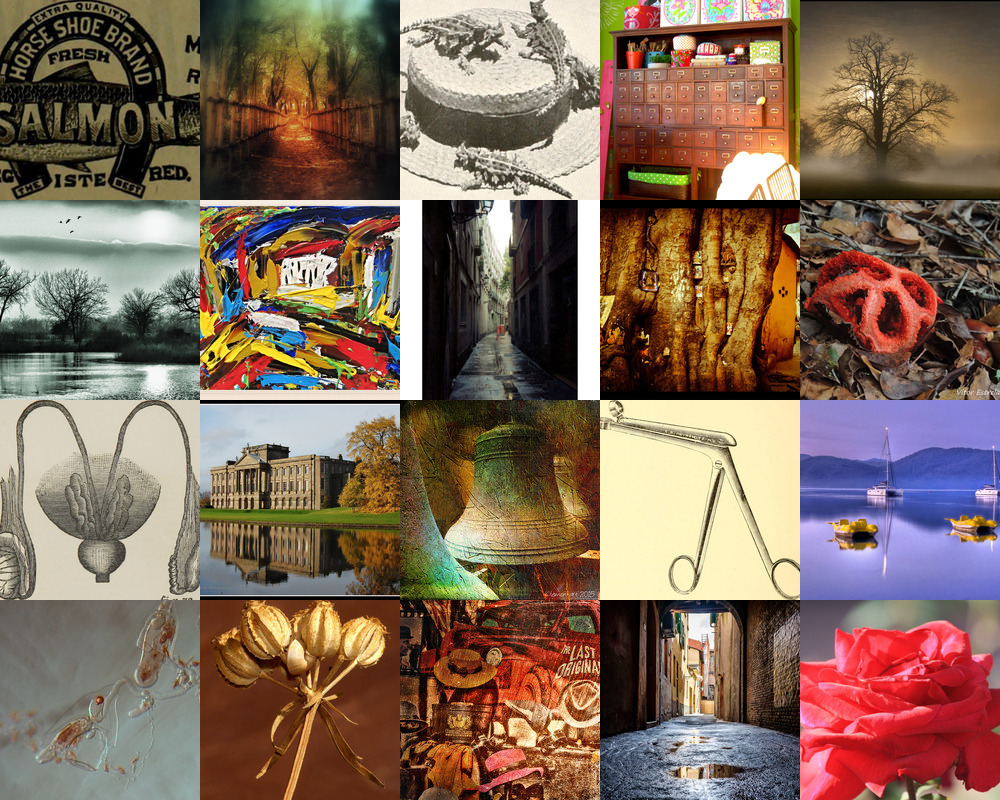
Flickrage CLI, your Flickr Collage.
Little tool with idea of downloading random top-n pictures from the Flickr, resize it properly & build collage from them!
Here are some features:
- Search at Flickr with words from your own dictionary or provide just a few words :).
- Multiple threads out of the box, no matter how many images you want.
- Auto-cleanup (optional).
- Logging into a file (optional).
- Predefined timeouts for long requests (unresponding links or similar).
- Verbose mode for research (optional).
- Quiet mode for silence (optional).
Compatibility
Ruby versions 2.3.0 and higher.
Installation
Install it yourself as:
$ gem install flickrage
System Wide Install (OSX, *nix):
$ sudo gem install flickrage
Usage
It's pretty simple at the start:
$ flickrage -k some nice grapefruit
Setup
You'll need to get/generate an API keys from your Flickr profile at https://www.flickr.com/account/sharing
Next you can export Flickr API keys as ENV variables:
$ export FLICKR_API_KEY="SOMEKEY"
$ export FLICKR_SHARED_SECRET="SOMESECRET"
Or set keys with arguments:
$ flickrage --flickr-api-key SOMELONGKEY --flickr-shared-secret SOMELONGSECRET
How-To
Select output folder:
$ flickrage -k some nice grapefruit -o ./tmp
Enter collage file_name:
$ flickrage -k some nice grapefruit --file-name some.jpg
Get collage of top 10 images:
$ flickrage -k some nice grapefruit --max 10
Get collage of top 20 images:
$ flickrage -k some nice grapefruit --max 20
Get collage of top 10 images custom width & height:
$ flickrage -k some nice grapefruit --max 10 --width 160 --height 120
Provide your own words dictionary:
$ flickrage -k some nice grapefruit --dict-path /usr/share/dict/words
All options:
> $ flickrage help c

Options:
  -k, --keywords=some nice grapefruit
      [--max=10]                                             # Select number of files.
                                                             # Default: 10
                                                             # Possible values: 1, ..., 20
      [--grid=2]                                             # Select grid base number.
      [--width=120]                                          # Set width for resize downloaded images.
      [--height=80]                                          # Set height for resize downloaded images.
  -l, [--log=/Users/someone/.flickrage/main.log]             # Log file path. By default logging is disabled.
  -o, [--output=./tmp]                                       # Output directory, where all data will be stored.
      [--file-name=./some.png]                               # Name for file with collage.
      [--dict-path=/usr/share/dict/words]                    # Path to file with multiline words (dictionary).
  -c, [--cleanup], [--no-cleanup]                            # Cleanup files before collage.
  -t, [--tagged-search], [--no-tagged-search]                # Search by tags.
  -p, [--params=safe_search:moderate sort:date-posted-desc]  # Set extra params for Flickr.
  -v, [--verbose], [--no-verbose]                            # Verbose mode.
  -q, [--quiet], [--no-quiet]                                # Quiet mode. If don't need any messages and in console.
      [--flickr-api-key=YOURLONGAPIKEY]                      # FLICKR_API_KEY. if you can't use environment.
      [--flickr-shared-secret=YOURLONGSHAREDSECRET]          # FLICKR_SHARED_SECRET. if you can't use environment.


`flickrage` is a tool which loves search on the Flickr & making collages from findings.

You have to enter name of the output file and a max number of downloading files.

Parameters helps you specify rectangle size for each image, collage name, it's location, ..., and well the grid base size.
Screenshot:

Real world example
$ flickrage c -k one two three --cleanup --flickr-api-key ************ --flickr-shared-secret ***********
  Thank you for choosing Flickrage, you will find me as your Flickr collage companion :)

  Received keywords: [one, two, three, archencephalic, trub, soiree, barring, Cestodaria, readorn, Thurnia]
  [+] Searching (found image ID#15415535811)

  Found 10 images:
  keyword      id           url                                                               title                              width  height
  one          16214454241  https://farm9.staticflickr.com/8618/16214454241_3ab4ae73c7_b.jpg  First Snowfall                      1024     687
  ...
  tightfisted   8757535743  https://farm4.staticflickr.com/3786/8757535743_1c8c6b57d9_b.jpg   Teasels at the Sixteen Foot         1024     696
  achete       15415535811  https://farm3.staticflickr.com/2949/15415535811_4eedddc4b4_b.jpg  Une nouvelle, page 12 on 17         1024    1024

  Scheduled to download 10 images
  Please enter the path of the output directory: ./tmp
  [+] Downloaded image ID#8757535743

  Downloaded 10 images:
  keyword      id           path                                                                      downloaded?
  one          16214454241  /Users/some/path/tmp/16214454241_3ab4ae73c7_b.jpg  true
  ...
  achete       15415535811  /Users/some/path/tmp/15415535811_4eedddc4b4_b.jpg  true

  Please enter image resize width: 200
  Please enter image resize height: 100
  [+] Resized image 15415535811

  Resized 10 images:
  keyword      id           path                                                                              resized?
  one          16214454241  /Users/some/path/tmp/resized.16214454241_3ab4ae73c7_b.jpg  true
  ...
  tightfisted   8757535743  /Users/some/path/tmp/resized.8757535743_1c8c6b57d9_b.jpg   true
  achete       15415535811  /Users/some/path/tmp/resized.15415535811_4eedddc4b4_b.jpg  true

  Please enter the collage file name: some.png
  [+] Collage making
  10 images composed

  Congrats! You can find composed collage at /Users/some/path/tmp/some.png
Dict
Ubuntu:
If not installed, install or provide your own:
$ apt-get install --reinstall wamerican
OSX:
By default: /usr/share/dict/words
Dependencies:
- Concurrent Ruby lots of awesome tools.
- Thor for CLI base.
- Tty Spinner wonderful Spinner.
- Flickraw for Flickr API access.
- MiniMagick as well as ImageMagick on your machine.
- ...
Contributing
- Fork it ( https://github.com/merqlove/flickrage/fork )
- Create your feature branch (
git checkout -b my-new-feature) - Commit your changes (
git commit -am 'Add some feature') - Push to the branch (
git push origin my-new-feature) - Create a new Pull Request
Testing
$ rake spec
Copyright (c) 2016 Alexander Merkulov
MIT License