
mddir
Your web, saved locally — a markdown knowledge base for humans and agents.
mddir fetches web pages, converts them to clean markdown, and organizes them into local collections. It includes full-text search, a built-in web UI, and works with AI agents out of the box. Everything is stored as plain markdown files you own.
Installation
Homebrew (macOS)
brew install AliOsm/tap/mddirStandalone Binary (macOS & Linux)
Download the latest binary for your platform from the GitHub releases page, then:
# macOS: remove the quarantine flag
xattr -d com.apple.quarantine mddir

chmod +x mddir
sudo mv mddir /usr/local/bin/
On Linux, skip the xattr step.
RubyGems
Requires Ruby >= 3.2.0. If you don't have Ruby installed, mise is the easiest way to get it:
mise use --global ruby@3
gem install mddir
Quick Start
# Save a page to a collection
mddir add ruby https://docs.ruby-lang.org/en/3.3/String.html

# List your collections
mddir ls

# Search across everything
mddir search "freeze"

# Open the web UI
mddir open
CLI Reference
Core Commands
| Command | Description |
|---|---|
mddir add COLLECTION URL [URL...] |
Fetch web pages and save to a collection |
mddir search [COLLECTION] QUERY |
Search entries for a query string |
mddir ls [COLLECTION] |
List collections or entries in a collection |
mddir open |
Start the web UI and open in browser |
mddir serve |
Start the web UI server |
Management Commands
| Command | Description |
|---|---|
mddir rm COLLECTION [ENTRY] |
Remove a collection or entry |
mddir collection create NAME |
Create a new empty collection |
mddir reindex |
Rebuild the global index |
mddir config |
Open configuration file in editor |
Flags
| Flag | Applies to | Description |
|---|---|---|
--cookies PATH |
add |
Path to a cookies file for authenticated fetching |
Web UI
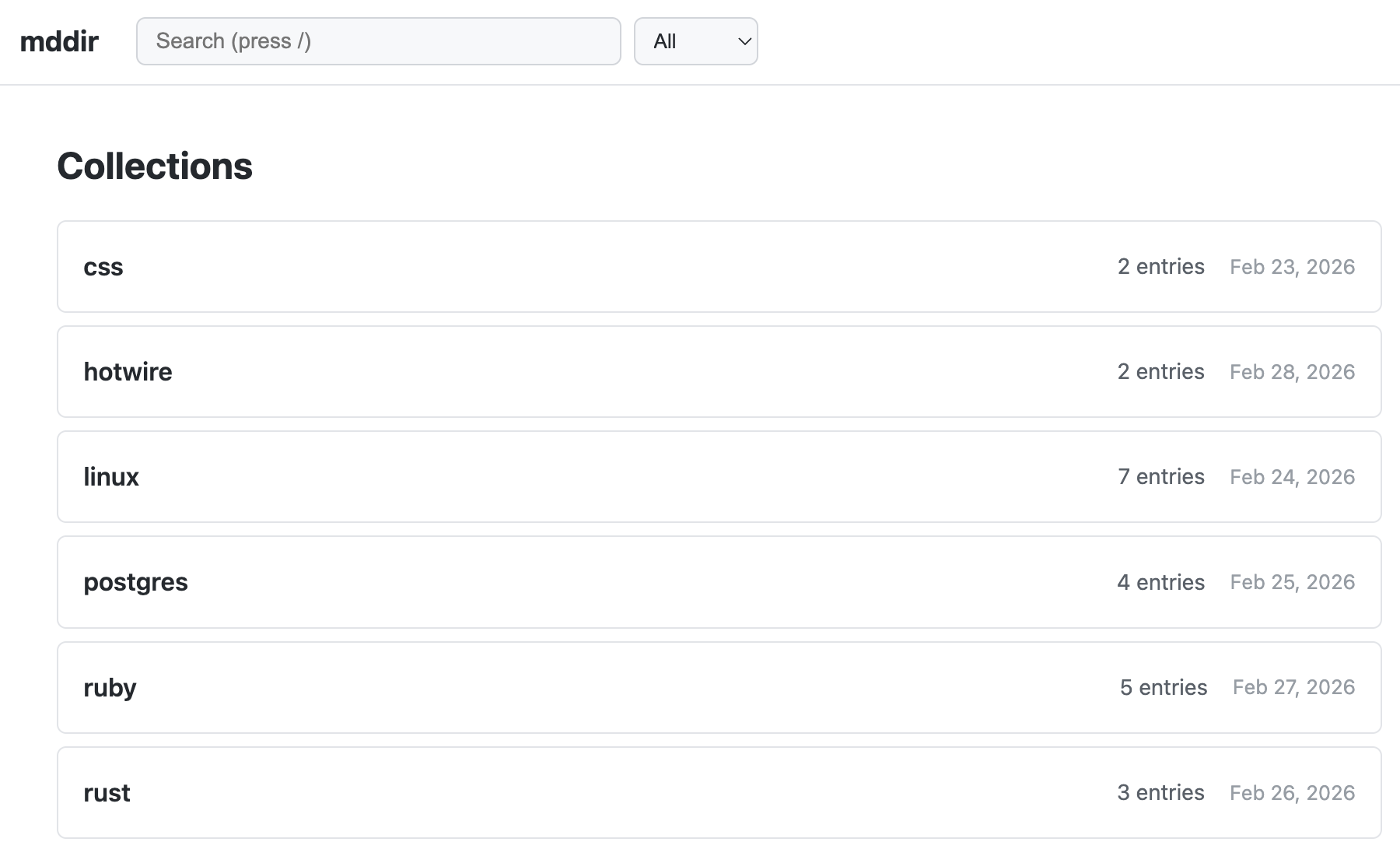
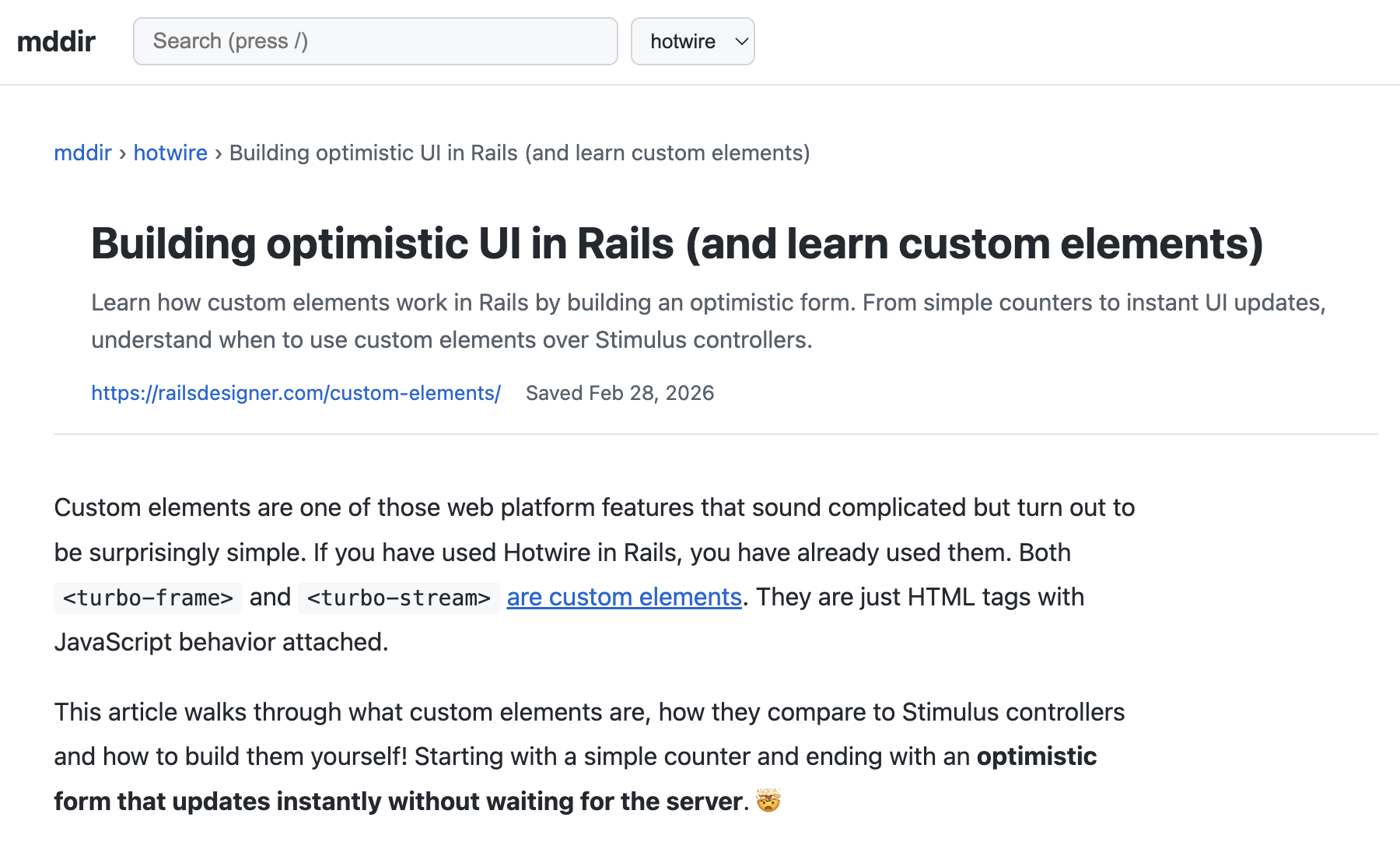
Run mddir open to launch the built-in web UI at http://localhost:7768. Browse collections, read saved pages, and search your knowledge base from the browser.
Agent / LLM Integration
mddir is designed to work as a knowledge retrieval tool for AI agents. All content lives under ~/.mddir/ as plain markdown files with YAML frontmatter:
---
url: https://example.com/article
title: Article Title
token_count: 1523
token_estimated: true
---
Agents can search the knowledge base directly:
mddir search "concurrency patterns"
mddir search ruby "freeze"
Configuration
Settings live in ~/.mddir.yml. Run mddir config to open it in your editor.
| Option | Default | Description |
|---|---|---|
base_dir |
~/.mddir |
Where collections are stored |
port |
7768 |
Web UI port |
editor |
$EDITOR or vi
|
Editor for mddir config
|
user_agent |
Chrome UA string | User agent for fetching pages |
Cookie Support
Pass a cookies file to fetch pages behind authentication:
mddir add docs https://private.example.com/page --cookies ~/cookies.txtData Storage
~/.mddir/
├── search.db
├── index.yml
├── ruby/
│   ├── index.yml
│   ├── string-a1b2c3.md
│   └── array-d4e5f6.md
└── golang/
    ├── index.yml
    └── concurrency-patterns-f7a8b9.md
Todos
- Add local HTML and markdown files to collections
- Headless browser rendering for JavaScript-heavy pages
- Download and embed images locally instead of linking to remote URLs
- Re-fetch command to update stale entries
- Export a collection to a single combined markdown file
- Merge collections into one
- Fuzzy search and ranking improvements
- Archive mode to save raw HTML alongside markdown
- Migration command to relocate the base directory
- Collection pinning and sorting in the web UI
- GitHub sync (or GitLab, etc.)
- Move entries between collections
Development
bundle install
rake test
rubocop
Contributing
Bug reports and pull requests are welcome on GitHub at https://github.com/AliOsm/mddir. This project is intended to be a safe, welcoming space for collaboration, and contributors are expected to adhere to the code of conduct.
License
The gem is available as open source under the terms of the MIT License.